Combat Sports Now
Live and On Demand Combat Sports Streaming

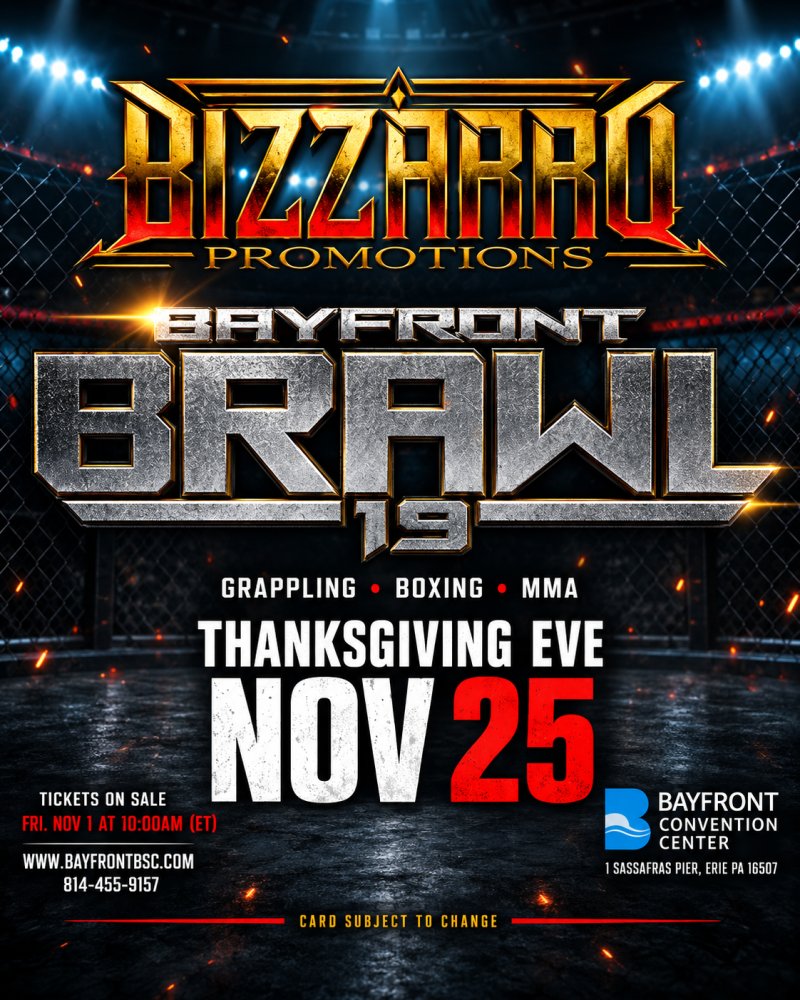
Bizzarro's Boxing & MMA Promotions presents
Bayfront Brawl 19
Reese vs Kizer & Perez vs Bizzarro Lead Stacked Combat Showcase
Held at Bayfront Convention Center in Erie, PA
Wednesday November 25th, 2026
Watch On Demand for $29.99
Bizzarro's Boxing & MMA Promotions brings Bayfront Brawl 19 to the Bayfront Convention Center in Erie, PA, on Wednesday, November 25, 2026. The action-packed card is highlighted by an MMA main event between Regal Reese and Tom Kizer, alongside a boxing main event featuring Jesus Perez and Anthony Bizzarro. With an amateur flyweight MMA title fight between Ramiro Sanchez and Joshuwa Caban plus high-caliber boxing and grappling matchups, this event delivers premier multi-discipline combat.
Frequently asked questions
Can’t find the answer you’re looking for? Reach out to our customer support team.
Is there a TV or Mobile App to watch on?
Yes! We have apps for phones, tablets, and TV, and the full, current list lives in one place.
See every app we offer and how to install it here: Apps & How to Watch
Purchases are made on the Combat Sports Now website for now. Buy your event on the site, then sign in to the app with the same account and everything you own is ready to watch. In-app purchasing is coming soon.
How do I watch on my TV?
The smoothest way to watch on a TV is our native app. If we make one for your device, install it and sign in with the same account you used to buy. See all our apps here: Apps & How to Watch
No app for your device yet? You can still watch several ways.
The easiest way is to cast it to your smart TV by clicking the AirPlay or Chromecast button at the bottom right of the player.
When you click that button, you can send the video to any device on your network. Your computer or phone must be on the same network as your smart TV.
If you do not see an AirPlay or Chromecast button on your player, try loading the site on your phone and look for it there.
Your smart TV must be on the same network (wired or wifi) as the device you are casting from!
You can also open the website in the browser on your smart TV and log in with the same credentials you used to buy the event. From there you can reach the watch page and stream the entire event or watch it on demand.
What devices can I cast or AirPlay to?
There are several!
- Amazon Fire Sticks and devices
- Any TV that supports AirPlay
- Apple TV
- Chromecast devices
- Samsung TVs
- Standalone Roku and Roku TVs