Combat Sports Now
Live and On Demand Combat Sports Streaming

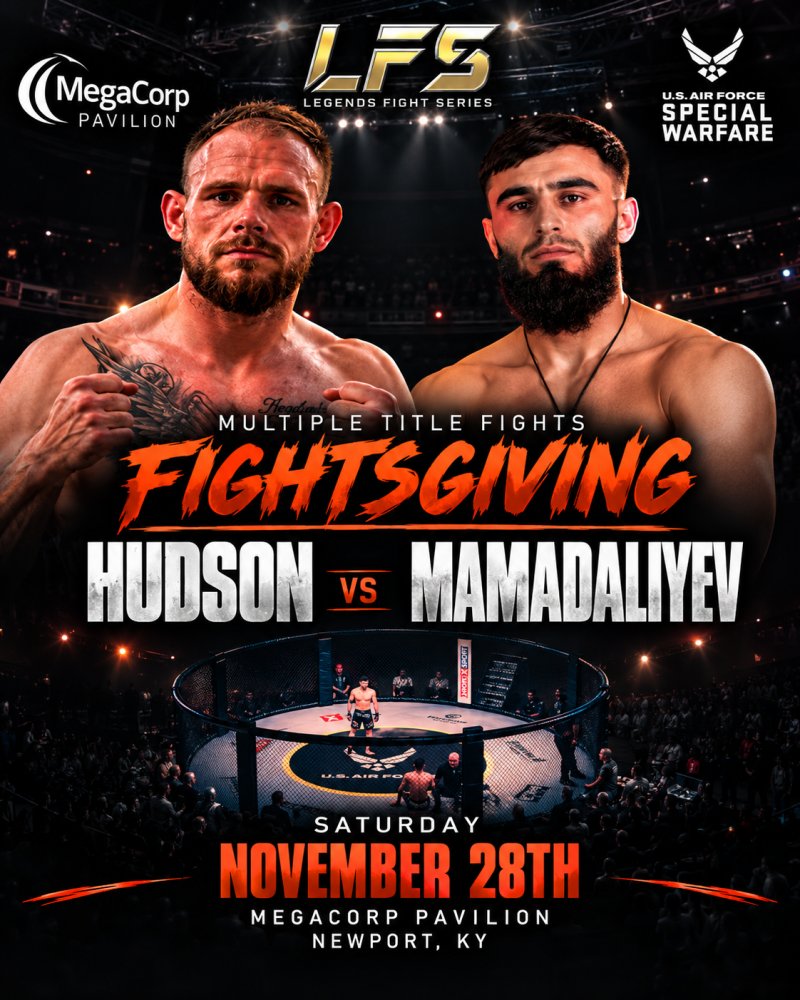
Legends Fight Series presents
Fightsgiving
Hudson vs Mamadaliyev
Live from MegaCorp Pavilion in Newport, KY
Show starts at
Saturday November 28th, 2026
7:00 PM ET
Watch Live for $39.99
Legends Fight Series in partnership with the U.S. Air Force Special Warfare are proud to present LFS6: Fightsgiving at the iconic MegaCorp Pavilion in Cincinnati / Northern, KY on Thanksgiving Weekend November 28th. With multiple title fights in the works, Pro Lightweight Title Fight has Travis Hudson vs. Ilyaz "The Turkish Machine" Mamadaliyev. Also are anticipating a Title fight for Perry Sturgis, Pro Cornell Beachem Jr. and Current Title Holder Tyler Ray. Join our Award-Winning Commentary team of Andy Law and Dalton Prennell with special guests as the Midwests best up and coming Amateur and Pro MMA talent step in the US Air Force cage. We thank our Partners Title Boxing, Above All, Jamie Odgen Plum Tree Realty, Spearman Trucking, Holiday Inn Cincinnati Airport by IHG, Vizbile Marketing, VTL Nutrition and our Media Partner Combat Sports Now.
Frequently asked questions
Can’t find the answer you’re looking for? Reach out to our customer support team.
What do I get when I purchase this?
You also get access to the on demand replay once it is posted after the show ends. Replay access runs for a set period and ends when that period is up; the replay window for this event is shown at checkout before you pay. While your access is active you can watch as many times as you like.
Plus you're supporting local and regional MMA events like Legends Fight Series.
Why does this cost $39.99?
We started Combat Sports Now to help promoters make the most of their events. Promoters get the lion's share of your purchase.
Is there a TV or Mobile App to watch on?
See every app we offer and how to install it here: Apps & How to Watch
Purchases are made on the Combat Sports Now website for now. Buy your event on the site, then sign in to the app with the same account and everything you own is ready to watch. In-app purchasing is coming soon.
How do I watch on my TV?
No app for your device yet? You can still watch several ways.
The easiest way is to cast it to your smart TV by clicking the AirPlay or Chromecast button at the bottom right of the player.
When you click that button, you can send the video to any device on your network. Your computer or phone must be on the same network as your smart TV.
If you do not see an AirPlay or Chromecast button on your player, try loading the site on your phone and look for it there.
Your smart TV must be on the same network (wired or wifi) as the device you are casting from!
You can also open the website in the browser on your smart TV and log in with the same credentials you used to buy the event. From there you can reach the watch page and stream the entire event or watch it on demand.
What devices can I cast or AirPlay to?
- Amazon Fire Sticks and devices
- Any TV that supports AirPlay
- Apple TV
- Chromecast devices
- Samsung TVs
- Standalone Roku and Roku TVs